
The answer, without the ceremony: get the Moza R5 bundle. Around $600 gets you the R5 direct drive base (5.5Nm), the ES wheel rim, and the SR-P Lite pedals, and it’s the cheapest package I’ve used that doesn’t feel like a toy after the third week. It’s PC only, which matters for some of you (the R3 is the Xbox-licensed sibling in that family, 3.9Nm, around $400 with the same rim). If you’re locked to a PS5 and refuse to race on a PC, the Thrustmaster T598 at around $500 is the one to get, and I’ll explain below why I still rank it second.
Now the caveat that most bundle roundups bury: the pedals in every sub-$700 kit are the weak link, and you will replace them long before you replace the wheel base. The SR-P Lite brake is a spring and rubber stack read by a hall sensor, so it measures how far you push, not how hard. That’s the opposite of how a real brake works. Budget roughly $200 for a load-cell set inside your first year and you’ll drop more lap time than any wheel base upgrade would give you. If you can stretch at purchase time, skip the Lite pedals in the bundle and put the money into Moza SR-P or Fanatec CSL Pedals with the Load Cell Kit on day one.
Why direct drive at this price changed the entry-level math
Three years ago the honest entry recommendation was a used Logitech and a lot of apologizing. Not anymore. A 5Nm direct drive base has the motor shaft bolted straight to the wheel, no belts, no plastic gears, and the difference shows up in the small stuff rather than the big stuff. Big stuff is easy: any wheel can shove your hands when you hit a kerb. What a DD base gives you is the moment before the slide, that slight lightening in the rim when the front tyre stops biting at turn-in. Gear-driven wheels smear that into mush.
Take the Mazda MX-5 at Okayama in iRacing, the car half of you will start in because rookie license. On a G29 the front end just goes quiet and then you’re understeering. On the R5 you can feel the load bleed off progressively enough to lift a fraction earlier. That’s not marketing. It’s the reason people who switch stop caring about the money within a week.
Is 5Nm enough? Yes, and I’ll go further: the torque number is the most over-discussed spec in this hobby. I ran a 20Nm base for two years and now run mine at about 55% because the full output is exhausting over a 40-minute stint and it flattens detail. Entry buyers obsess over Nm because it’s the number on the box. What actually separates a good base from a bad one at this level is how clean the signal is at low force and whether it has cogging you can feel when you turn the unpowered wheel by hand. The R5 is smooth there. The R3, being smaller, has a slightly grainier feel off-center that shows up in slow hairpins.
Living with the R5: the first hour and the first month
Unboxing takes about fifteen minutes. The base ships with a table clamp, the wheel attaches with a threaded collar quick release, and you’ll need to install Pit House, Moza’s software. Pit House is fine. It’s also the single most common complaint on the Moza Discord, usually some variant of the app not detecting the base after a Windows update, which is nearly always fixed by unplugging the USB, killing the process in Task Manager, and replugging. Firmware updates want the base powered and the wheel attached. Do them in that order or you’ll get a failed flash and a mild panic.
Settings worth trying, because the defaults are conservative:
- Base output at 100%, then control strength in-game. Don’t clip in the driver and the sim both.
- Road Sensitivity around 8 to 10. Higher makes the R5 chatter over kerbs in a way that sounds impressive and tells you nothing.
- Natural Inertia at 200 to 300. This is the setting nobody explains: it simulates a heavier steering rack, and low values make the wheel feel nervous and darty. Bumping it up is what makes a cheap base feel expensive.
- Steering Damping around 10 to 15. Enough to stop oscillation at standstill, not enough to feel like syrup.
- Rotation: leave it on the sim to control it. If a game insists on a fixed value, 900 degrees for road cars and 540 for GT3 is a sane default.
In iRacing, hit the auto button on the FFB strength, then reduce it by roughly 10% and turn on linear mode. In ACC, gain 70 to 80, minimum force at 0 or 1 (the R5 doesn’t need the deadzone compensation older belt wheels did), dynamic damping around 40, road effects 20 if you want to feel the surface without your fillings loosening.
After a month, the things that bug me: the ES rim’s plastic paddles have an audible click that gets tiring in a long stint, the quick-release collar needs a firm re-tighten every few sessions or you get a millimeter of play at the rim, and the base gets warm enough that the fan is audible in a quiet room. None of that is a dealbreaker. All of it is stuff no spec sheet tells you.
Where the Fanatec CSL DD sits now
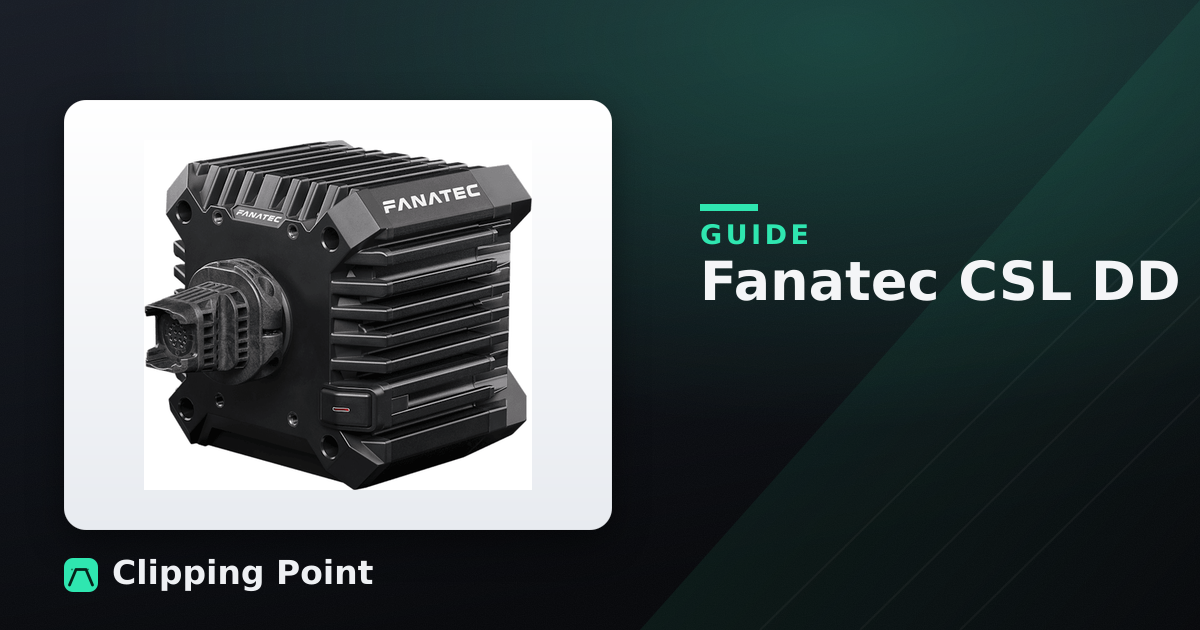
The Fanatec CSL DD is still a good piece of hardware. Around $350 for the 5Nm version, with the Boost Kit 180 taking it to 8Nm for another hundred or so, and the Ready2Race bundles land somewhere near $700 with a rim and CSL pedals. The FFB is arguably a touch more detailed than the R5 on kerb texture. I like the way it handles the Porsche 992 Cup over the Road America kerbs.
The problem was never the hardware. Fanatec’s shipping and support reputation cratered during their financial trouble, and while the Corsair acquisition has stabilized things, the RMA horror stories from that era are still fresh enough that people on r/simracing bring them up in every thread. If your base develops a fault, you want a support process, not a lottery. Things have improved. I’d still tell a first-time buyer to go Moza, and I say that as someone with a lot of green boxes in the loft.
There’s also the Fanatec upgrade tax. Their quick release and wheel-side ecosystem is genuinely good, but once you’re in it, every rim and pedal set costs more than the equivalent elsewhere. Fine if you’re going deep. Expensive if you’re not sure yet.
The console situation
| Setup | Price | Works on | Brake type |
|---|---|---|---|
| Moza R5 bundle | ~$600 | PC | Spring/hall |
| Moza R3 bundle | ~$400 | PC, Xbox | Spring/hall |
| Thrustmaster T598 | ~$500 | PC, PS5 | Elastomer/hall |
| Fanatec CSL DD Ready2Race | ~$700 | PC, plus Xbox or PS depending on version | Spring/hall (load cell kit extra) |
| Logitech G923 | ~$280 | PC, plus Xbox or PS | Spring/potentiometer |
The Thrustmaster T598 is the PlayStation answer and it’s a decent one: 5Nm axial flux motor, wheel and pedals included, and it’s the only direct drive package at that price that works properly in Gran Turismo 7. The recurring complaint, and it’s a fair one, is that the force feedback feels smoothed compared to Moza and Fanatec. Less texture, more weight. Some people prefer it. I find it a little muted in GT3 cars, though in GT7 that hardly matters because the game’s own FFB isn’t exactly a detail showcase.
Xbox buyers have it worse. It’s the Moza R3 or a Fanatec CSL DD with the Xbox-ready wheel, and the R3’s lower torque is noticeable. If you own an Xbox and a half-decent PC, race on the PC.
About the G923, since someone will ask
Every entry-level thread has someone saying just buy a used G29 for $150. That advice made sense in 2021. It doesn’t now, and here’s why: gear-driven wheels have a mechanical notchiness you can feel through your palms at low speed, the pedals use potentiometers that develop throttle spikes after a couple of years, and the brake is a spring you can bottom out with your ankle. The G923 adds TrueForce, which is a vibration effect layered on top of the FFB. It’s a party trick.
If your budget is a hard $250 and it will not move, buy one used and enjoy it, genuinely. If your budget is $400 and you’re considering the G923 to “see if you like sim racing,” you’re choosing the option you’ll resell at a loss in six months. Save two more months and buy the R3 or R5.
Mounting, and the upgrade nobody budgets for
Here’s what ruins more entry-level direct drive setups than any hardware fault: desk flex. A 5Nm base clamped to a $60 particleboard desk will make the whole desk shudder in a fast direction change, and you’ll feel the desk, not the car. The clamp itself is usually fine. The desk is the problem.
Test before you buy anything else: clamp the base, grab the rim, and twist hard. If you can see the desk top move, you need a solution. A Next Level Racing Wheel Stand 2.0 at around $150 is the cheap fix and folds against a wall. If you have the floor space, a Next Level Racing GT Lite Pro at roughly $250 is a folding cockpit that puts the pedals at a proper angle and stops the pedal plate sliding into the wall every time you brake, which on carpet it absolutely will. The fastest upgrade in sim racing costs about eight dollars in bolts.
Also: pedal angle matters more than people admit. Flat on the floor puts your ankle in a position that makes consistent braking pressure hard. Wedge something under the heel end if you’re on a desk setup. Most bundle pedal plates have an adjustable tilt bracket and most people never touch it.
What actually breaks
In four-ish years of watching friends’ entry-level gear, the failure list is short and consistent. USB cables at the base end, from getting yanked. Plastic quick releases developing play, which is annoying rather than fatal. Potentiometer pedals spiking, which is a Logitech and Thrustmaster T150-era issue and mostly solved by hall sensors in current kits. Load cell cables getting pinched under the pedal plate, which throws a calibration error that looks terrifying and takes two minutes to fix.
Direct drive motors themselves basically don’t fail. The electronics in the base can, but it’s rare. Buy from a retailer with a sane returns process and don’t stress about it.
FAQ
Do I really need a load cell brake, or is that just enthusiast talk? You need it, and it’s the single biggest lap-time item in an entry setup. Real brakes respond to pressure, not travel, so a load cell trains muscle memory that transfers. The first week feels awful because your leg has no calibration, and then it clicks and you can trail-brake into Sebring’s Turn 17 without the fronts locking. Around $200 for the Moza SR-P or the Fanatec CSL Pedals with Load Cell Kit. Worth it over more torque, every time.
Is 5Nm enough, or will I outgrow it? Enough for years. The people upgrading from 5Nm to 12Nm are chasing feel, not capability, and plenty of fast drivers run big bases at half strength anyway. You’ll outgrow the pedals, the rim, and possibly the desk long before the base.
Can I use this on a normal desk or do I need a rig? A solid desk is fine at 5Nm if it doesn’t flex when you twist the rim hard. Check the clamp’s jaw opening against your desk thickness before ordering, because a 60mm jaw and a 70mm desktop is a bad evening. Thin Ikea-style desks will flex, and you’ll want a stand.
Before you click buy
Measure your desk thickness and compare it to the clamp spec. Check whether the base is PC-only or console-licensed for your console, not the other one. Decide right now whether you’re buying load cell pedals at purchase time or in six months, and if it’s six months, write the price down so it doesn’t ambush you.
Buy the Moza R5 bundle if you’re on PC and want something you won’t replace for three years. Buy the Thrustmaster T598 if the PS5 is your only option. Buy the Moza R3 if you’re on Xbox or your ceiling is $400. And if someone tells you to get a G923 because it’s what they started on, ask them what they’re running now.