
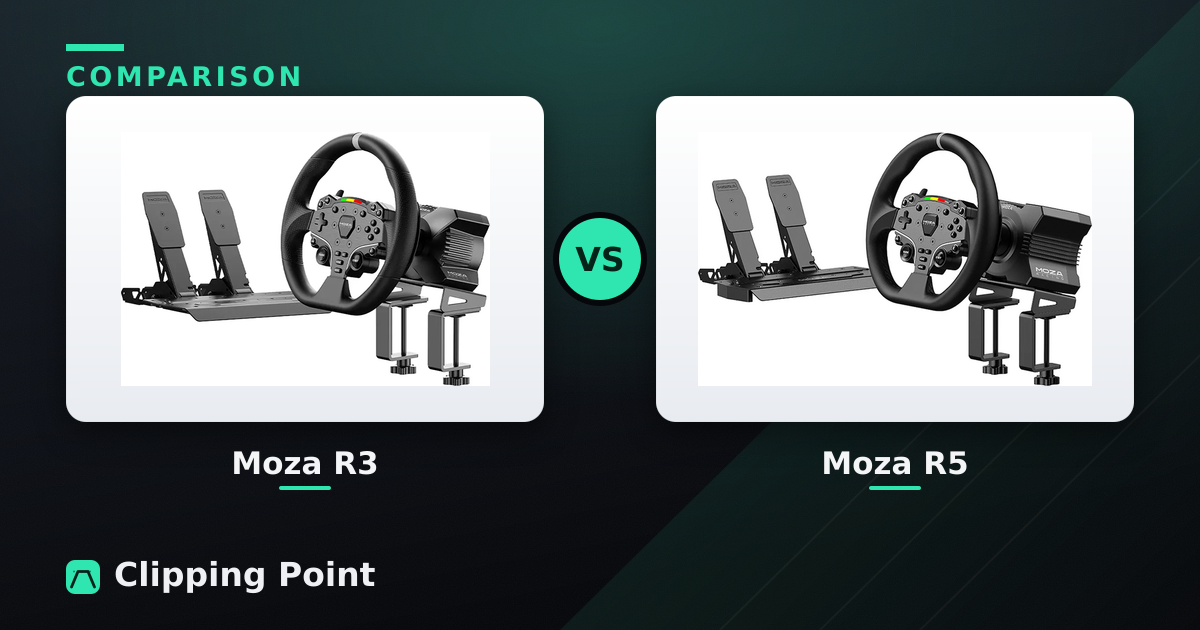
| Moza R3 | Moza R5 | |
|---|---|---|
| Peak torque | 3.9 Nm | 5.5 Nm |
| Drive type | Direct drive | Direct drive |
| Platforms | PC · Xbox | PC |
| In the box | Bundle: ES wheel + SR-P Lite pedals | Base (bundle adds ES wheel + SR-P Lite pedals) |
| Best for | Xbox players who want real direct drive cheap | A first direct-drive base without overspending |
Specs from each manufacturer's current listings. Prices move constantly — hit the price buttons above for today's numbers.
If you’re on PC, buy the Moza R5 and go to bed. The extra 1.6 Nm is not life-changing, but the gap between the two bundles is usually less than what a decent set of pedals costs, and the R5 is the base you’ll still be fine with in eighteen months when you’re running GT3s in ACC and wondering why everyone keeps buying R9s.
The Moza R3 exists for one real reason: it’s the Xbox-licensed one. If your sim racing happens on a Series X with Forza Motorsport and ACC, the decision is already made for you and the rest of this is just background. If you’re on PC and you’re looking at the R3 purely because it’s the cheapest way into a Moza direct drive, I’d push back. Not because 3.9 Nm is unusable. Because the saving is small enough that you’ll spend it on something dumber.
What actually differs
| Moza R3 | Moza R5 | |
|---|---|---|
| Peak torque | 3.9 Nm | 5.5 Nm |
| Platforms | Xbox Series X/S + PC | PC only |
| Base, street price | around $260–$300 | around $340–$400 |
| Typical bundle | around $400 with the ES wheel | around $500–$560 with ES wheel + SR-P Lite pedals |
| Software | Pit House | Pit House |
Prices bounce around with sales, and Moza runs them often, so check before you assume the gap. I’ve seen the R5 bundle drop close enough to the R3 bundle that the question answers itself.
Everything else is shared. Same Pit House software, same firmware update flow, same wheel-side quick release, same M6 mounting pattern on the bottom and the front face. Swap the wheel between them and you’d have to look at the badge.
What 1.6 Nm feels like in practice
Torque numbers are a terrible way to shop, and they’re the only thing anyone talks about. The honest difference between 3.9 and 5.5 Nm is not “twice the feel.” It’s headroom before the signal squashes flat.
Take iRacing. Run the GR86 at Okayama on the R3 with the strength set sensibly and it’s genuinely good. Light car, low grip, you feel the front end go greasy and you catch it. That car doesn’t need 5 Nm. Now put yourself in the Porsche 992 Cup at Monza. Braking into Turn 1 with the wheel loaded and the tyres locked-adjacent, then the Ascari kerbs, then Parabolica where the front end loads up and stays loaded. On the R3 the steering weight tops out early and the kerb detail rides on top of a wall of nothing. You’re getting the texture but you’ve lost the change in weight, which is the part that tells you the front is about to let go.
The R5 doesn’t fix that entirely. It just pushes the ceiling up enough that the heavy stuff has somewhere to go. Le Mans Ultimate is the clearest example, because its FFB is heavy by default and the Hypercars load the wheel hard through Indianapolis. On the R3 you turn gain down to stop clipping and then everything feels muted. On the R5 you run higher gain and the detail survives.
3.9 Nm is also plenty to hurt you if a spin catches your thumb inside a spoke. Ask me how I know.
Setting them up without hating your life
Both bases come as a small aluminium cylinder, a power brick that’s chunkier than you expect, and a USB cable that is shorter than you want. First hour is: bolt it down, install Pit House, run the firmware update, calibrate the wheel centre, calibrate the pedals if you got the bundle.
The firmware update is where people trip. Do it with the base powered on, plugged directly into a motherboard USB port (not a hub, not a monitor port, not the front-panel port on a case that’s been in three different apartments). If Pit House says the base isn’t detected, close it, unplug the USB, power cycle the base, plug back in. The number of people on the Moza Discord who think their base is dead when they’ve got a bad cable is not small.
Once you’re in, ignore most of the sliders. Set base torque output to 100% and control strength inside the sim, not in Pit House. The exception is if you’re a light-armed human or you’ve got a wobbly mount, in which case pull the base limit down instead of fighting each game separately.
Settings I’d start from:
- Road sensitivity: 4 on the R3, 3 on the R5. The R3 needs the extra help to make kerbs register.
- Natural inertia: down near 0–10. Moza ships it higher and it makes both bases feel syrupy, especially the R3 where you can’t afford to lose any information.
- Natural friction and damper: 0 to start. Add friction back in 5% steps only if the wheel feels nervous at centre.
- Steering angle: 900° as your default, and turn on game-controlled rotation for iRacing and ACC so GT3s clamp themselves properly.
- iRacing: linear mode on, use the auto-calibration lap, then knock 10% off what it gives you. Damping 0. Min force 0, because these are direct drive and don’t need the belt-drive crutch.
- ACC: gain 90–100 on the R3, 75–85 on the R5, min force 0, dynamic damping 100, road effects around 15. ACC’s road effects slider is mostly canned noise and cranking it just masks the real signal.
The desk is the problem, not the base
Here’s the thing that ruins more direct drive purchases than torque ever will. If your wheel is clamped to a 25mm particleboard desk from IKEA, the desk flexes, and your brain reads that flex as vague steering. You’ll then go online and post that your R5 feels mushy, and forty people will tell you to buy an R9.
The R3 hides this better simply because it pushes less. Step to the R5 and desk flex gets loud. Clamp as close to a leg or a cross-brace as you can, and if the desk has a lip that lets the clamp only grab 15mm of material, that’s your weak point. A cheap wheel stand with a bolted mount beats an expensive desk with a clamp. If you’re mounting to an 80/20 rig already, none of this applies and you’ll get everything the base has.
Also check what’s in the box before you order. The clamp isn’t always included depending on which bundle and which region you buy in, and discovering that on delivery day is a specific kind of annoying.
What starts bugging you after a month
The ES wheel that comes in both bundles is fine and slightly cheap-feeling. The rubber grip goes shiny where your palms sit, the paddles have a plasticky click rather than a proper magnetic snap, and the small display is useful for gear and RPM and not much else. It does the job. You will replace it eventually, and Moza knows that.
Quick release play is the other one. Both bases use the same wheel-side QR, and after a few months of heavy use some people get a tiny amount of rotational slop. Usually it’s the wheel-side clamp needing a nip up rather than anything structural, but check it before you convince yourself the base is worn.
Heat is a non-issue on the R3 and a mild one on the R5. Long stints in something heavy and the housing gets warm and the torque backs off slightly. You’ll notice it in hour three of an endurance race, not in a ten-lap sprint.
Pit House itself is fine now. It was rough in 2022. Occasional profile-switching weirdness where the base doesn’t pick up the right game profile, fixed by restarting the app. Not elegant. Not broken either.
What people actually argue about
Two things dominate every one of these threads on r/simracing.
The first is “just save up for the R9.” Sometimes correct, usually not. The R9 is 9 Nm and it’s a genuinely different class of feel, but it also lands you in a price bracket where you need a real mount, and the people who buy an R9 to clamp to a folding table are the ones who end up disappointed. If you’re within reach of an R9 and you have a rig, skip both of these. If you’re buying a first direct drive to put on a desk, the R5 is the sensible ceiling.
The second is pedals, and this one the forums get right. The Moza SR-P Lite pedals in the R5 bundle are a fine starting point and the single biggest lap time gain available to a new sim racer is a brake you can modulate by pressure instead of by travel. Upgrading to the Moza SR-P does more for your consistency than going from 3.9 to 5.5 Nm ever will. If your budget is genuinely fixed, R3 plus better pedals beats R5 plus the Lites. That’s the one scenario where I’d actively steer someone to the cheaper base.
Third thing, less argued but worth knowing: Moza is still the newer name. Fanatec has the deeper catalogue and a long reputation for shipping delays and support queues, plus the whole Endor insolvency and Corsair acquisition saga that spooked a lot of owners. Moza’s support is email-first and slower than you’d like, but RMA stories are mostly fine and their firmware cadence has been better than Fanatec’s for the last couple of years. Neither brand is a risk-free bet. Moza’s parts availability is the thing I’d watch.
FAQ
Is 3.9 Nm enough for iRacing? Yes, for road cars and most GT4-level stuff. You’ll feel the limit in high-downforce cars and heavy formula cars where the wheel should get properly weighty and instead just gets loud. Plenty of people race the R3 in iRacing competitively. Torque isn’t what’s costing you tenths.
Can I use the Moza R5 on Xbox or PS5? No on both. The R5 is PC only. The R3 is the Xbox-licensed base in this pair. Neither talks to a PS5, so if Gran Turismo 7 is your game, look at Fanatec, Logitech, or Thrustmaster instead, and check Moza’s current console support page before you assume anything has changed.
Can I upgrade the R3 to the R5 later? Not in any meaningful sense. They’re different bases with different motors. What carries over is wheels, pedals, and mounting hardware, which is the actual argument for staying in one brand. Selling a used R3 to fund an R5 loses you money and a weekend. Buy the one you want now.
Before you click buy
Get the Moza R5 if you race on PC, you have anything sturdier than a flexy desk, and the bundle is within about $150 of the R3 bundle. That’s most people reading this.
Get the Moza R3 if you’re on Xbox (no choice), or if you’re on PC with a hard ceiling and you’d rather put the difference into a load cell brake. That second case is legitimate and I’d back you on it.
Skip both and save for an R9 only if you already own a proper rig or a bolted wheel stand. Otherwise you’re paying for torque your mount will eat.
Two things to check on the product page before you order: whether the desk clamp is actually included in the bundle you’re looking at, and whether the pedal set is the two-pedal or three-pedal SR-P Lite. Both vary by listing, and both are cheaper to get right the first time than to fix afterwards.